Pretty Links Review 2026: Who It’s For, Who Should Skip

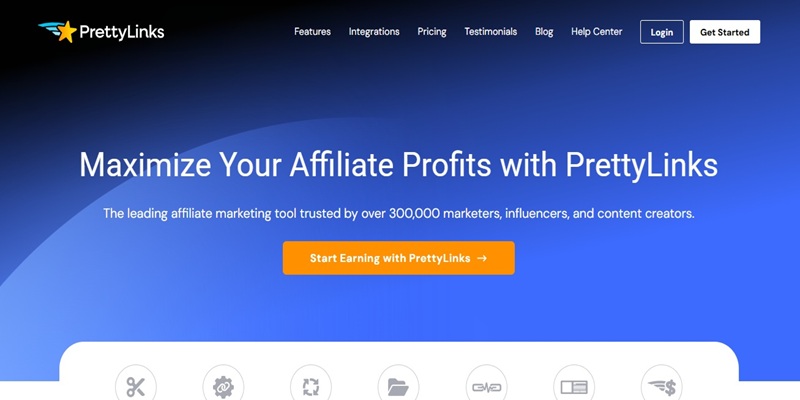
Pretty Links is a WordPress plugin for cloaking, shortening, and tracking affiliate links, and for most WordPress affiliate sites it is a sensible default. It is the most-installed link cloaker on WordPress.org (200,000+ active installs, rated 4.8 out of 5 across more than 1,300 reviews), the free tier covers the core job, and the paid tiers add automation that a small site can usually live without at the start. Skip it if your links live outside WordPress, if you need Amazon-compliant uncloaking out of the box, or if a free redirect already does everything you need. Below is the honest breakdown, and the basis it rests on.
First, the basis for this review
I want to be straight about how this review was put together, because the standard on this site is that a tool does not get a verdict from a marketing page and a changelog alone.
This is a research-based review. It is grounded in Pretty Links’ documented features, its public reviews on WordPress.org and independent software directories, and direct comparison with the alternatives people actually weigh it against. Pretty Links is the link management plugin running in this site’s own stack, which is why it is worth reviewing here at all, but I am not going to pretend this piece reports a long, controlled test on live campaigns with click numbers to show for it. Where a claim comes from the vendor, I say so. Where it comes from real users, I say so. Where a hands-on pass would still be needed to settle a question, I flag it rather than fill the gap with a guess. That is the honest version, and it is the one this review sticks to. The full standard every tool here is measured against is on the how I test and score tools page.
What Pretty Links actually does
At its core, Pretty Links turns a long, ugly destination URL into a short, branded link on your own domain (for example, yoursite.com/go/tool instead of a raw affiliate string with tracking parameters). It then redirects anyone who clicks that short link to the real destination and logs the click.
Three jobs, in plain terms:
- Cloaking: it hides the raw affiliate URL behind a tidy link on your domain. This is the main reason affiliate sites install it.
- Shortening and branding: the visible link is short and carries your domain, which looks more trustworthy in a post than a string of query parameters.
- Tracking: every click is recorded, so you can see which links get used.
The free version supports 301, 302, and 307 redirects, records total and unique clicks, and, per the current WordPress.org listing, now includes bot filtering with AI-crawler detection and basic privacy controls like IP anonymization. That is a real free tier, not a locked demo.
How it holds up against the three things that decide a score
This site scores every tool on the same three questions, in order: is its output accurate, does it survive daily use, and does it change an outcome? Here is where Pretty Links lands on each, with the basis noted.
Accuracy. For a link cloaker, accuracy means the redirect fires reliably and the click data is trustworthy. The documented behavior is straightforward and the redirect types are standard web redirects, so there is little room for a tool to be “confidently wrong” the way an SEO metrics tool can be. The one accuracy caveat that shows up repeatedly in user feedback is bot and duplicate clicks inflating counts, which is exactly what the newer bot-filtering feature is meant to address. Whether that filtering is now clean enough to trust for revenue decisions is the kind of thing only a real data comparison settles, so I am flagging it rather than declaring it solved.
Usability. This is Pretty Links’ strongest area, and it is the most consistent theme in user reviews: people describe it as install, activate, and go. The admin interface was rebuilt on React and links are created from a single screen where you set the slug and redirect type together. For the routine task, pasting a destination and getting a branded link, the friction is genuinely low.
Does it move the needle? For a site that manages more than a handful of affiliate links, yes, in a specific way: it removes manual work and gives you one place to update a link. For a site with three affiliate links total, honestly, a free redirect or even manual links would change nothing about your outcomes. The tool earns its place through volume and maintenance, not magic.
Free vs. paid: what is actually in the tier
Pretty Links has a genuine free version on WordPress.org and a paid Pro version sold as an annual license across tiers that differ mainly by how many sites you can run it on (the entry tier is single-site, higher tiers cover more). No prices here, because they change and the vendor’s page is the only source that binds you. What matters more is the feature line.
The free tier covers: branded short links on your domain, the standard redirect types, click logging, bot filtering, CSV import and export, and QR-style sharing. For a new or small affiliate site, this is often enough.
Pro adds automation and depth: automatic keyword replacement (auto-linking, where a chosen keyword across your posts becomes a cloaked link without editing each one), split testing, deeper reporting and analytics, and a link health checker that watches for broken destinations. These matter once you are managing many links across many posts. They matter very little when you have a dozen.
Applying this site’s lifetime-deal habit to a subscription tool: the honest question is not “is Pro better,” it is “will you use the Pro-only features enough to justify a recurring cost.” Auto-linking and the health checker are the two that tend to pay for themselves at scale. If neither describes your site yet, the free tier is the correct starting point, and saying so is the point of this site. For a broader way to run that buy-or-skip decision, see the SEO tool lifetime deal framework.
Pretty Links vs. ThirstyAffiliates vs. a raw redirect
Most people choosing Pretty Links are really choosing between three options. Here is the short version.
| Option | Best when | Watch out for |
|---|---|---|
| Pretty Links | You want granular per-link control (slug and redirect set per link) and the widest install base and support community | No built-in Amazon-compliant uncloaking; heavier features are Pro-only |
| ThirstyAffiliates | You want the simplest workflow and you promote Amazon, where its uncloaking feature helps with Amazon’s terms | Redirect settings are more global than per-link |
| Raw redirect / free plugin | You have very few links and no need for tracking or branding | You update every link by hand; no central dashboard |
Both Pretty Links and ThirstyAffiliates are mature, well-rated leaders, and for most sites the choice comes down to small workflow preferences rather than a clear winner. Pretty Links leads on per-link control and community size; ThirstyAffiliates leads on out-of-the-box simplicity and Amazon compliance.
What it doesn’t do, and where you might outgrow it
The section most reviews skip. Honest limits:
- It is WordPress-only. If any of your links live on a non-WordPress property, Pretty Links cannot manage those, and you will end up running a second system.
- No native Amazon uncloaking. Amazon’s terms have historically frowned on cloaked Amazon links. ThirstyAffiliates ships an uncloaking option for this; Pretty Links does not, so Amazon-heavy sites should account for that.
- The features that justify paying are gated. Auto-linking, split testing, and the link health checker (the reasons a serious site upgrades) sit behind Pro, so the free version, while genuinely useful, is deliberately a starting point.
- Redirect codes confuse new users. The most common complaint in reviews is uncertainty about which redirect type to pick. It is a small learning curve, not a defect, but it is real.
- Cloaking is a link-hygiene tool, not an SEO tactic. Used carelessly (for example, cloaking links you should not, or letting bots inflate your data), it can work against you. It manages links; it does not rank pages.
If you are the kind of buyer who wants a checklist for spotting the tools that overpromise, the lifetime deal red flags checklist applies the same skeptical lens.
Who it’s for, and who should skip
Pretty Links is a strong fit if you run a WordPress affiliate or content site, manage more than a handful of outbound links, and want them branded, centralized, and tracked. Start on the free tier and upgrade only when auto-linking or the health checker would save you real time.
Skip it, or wait, if you promote mostly on Amazon and want compliant uncloaking without extra setup (look hard at ThirstyAffiliates), manage links outside WordPress, or have so few links that a free redirect already does the job. Buying automation you will not use is not a saving.
Verdict
On the documented features and the weight of real user feedback, Pretty Links is a well-built, widely trusted link manager and a reasonable default for WordPress affiliate sites, with the free tier doing more than most free tiers do. The remaining question a full hands-on pass would answer, whether its click data is clean enough to trust for revenue decisions after bot filtering, is the one open item, and I would rather flag it than gloss it. If free is enough for your site right now, it is genuinely enough. Confirm current terms on the vendor’s own page before you buy, and read the affiliate disclosure for how this site makes money.
Frequently asked questions
Is Pretty Links free?
Yes. There is a free version on WordPress.org that handles branded short links, standard redirects, and click tracking. A paid Pro version adds auto-linking, split testing, deeper analytics, and a link health checker across tiers that mainly differ by how many sites you can use it on.
Is Pretty Links good for affiliate marketing?
For WordPress affiliate sites, yes. Cloaking and centralized link management are exactly what it is built for, and it is the most-installed plugin in this category. The main gap for affiliates is that it has no built-in Amazon-compliant uncloaking.
Pretty Links or ThirstyAffiliates?
Both are mature leaders. Choose Pretty Links for more granular per-link control and the larger community; choose ThirstyAffiliates for a simpler workflow and built-in Amazon uncloaking. For most sites the difference is workflow preference, not capability.
Does Pretty Links hurt SEO?
Not by itself. It uses standard web redirects. It can work against you only if misused, for example by cloaking links you should not or by treating inflated, bot-driven click counts as real data.
Do I need the Pro version?
Only if you will actually use its automation. Auto-linking (turning a keyword into a cloaked link across every post) and the link health checker are the two Pro features that pay off at scale. On a small site, the free tier is usually the right starting point.
