AppSumo Refund Policy: How the 60-Day Guarantee Works

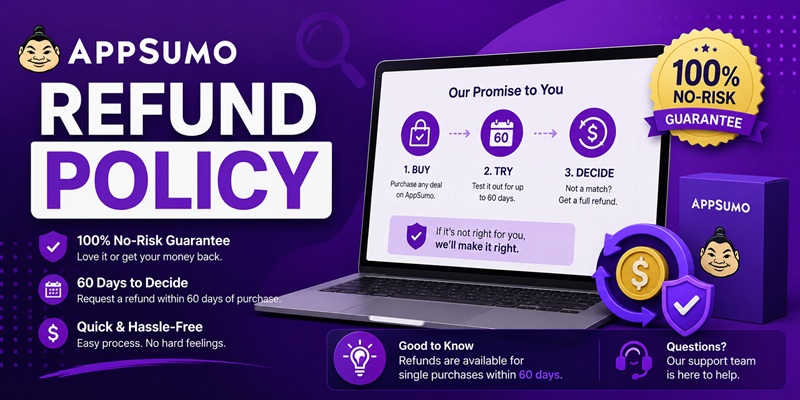
Short answer: Most software deals in the AppSumo Marketplace can be refunded for any reason within 60 days of purchase, no questions asked. You do it yourself: sign in, open Products, find the deal, choose Refund from the Actions menu, pick a reason, and confirm. The money goes back to whatever you paid with. AppSumo credits return to your account instantly, PayPal is refunded right away, and a card can take 5 to 10 business days for your bank to post it. The catch most summaries skip: not everything qualifies, credits refund as credits (not cash), and the exact window is set per deal, so “60 days” is the norm but not a guarantee on every listing.
This page pulls together what AppSumo spreads across five separate help-center articles, so you can check the risk before you buy instead of after. Every policy detail below is sourced to AppSumo’s own documentation, verified on 22 July 2026. Policies change, so confirm the current terms on the deal’s own page and on help.appsumo.com before you rely on them.
What the “60 days” actually means
AppSumo’s headline promise is a 60-day money-back guarantee: “Most products listed on AppSumo’s Marketplace are fully-refundable for any reason within 60 days of purchase.”
Here is the part that trips people up. AppSumo’s own Refund Policy page does not say every deal is 60 days. It says you get a full refund “within the timeframe stated on the deal page (ex: 30 days, 60 days).” Sixty days is the standard, but the number that binds you is the one printed in that specific deal’s terms. Before you buy, scroll to the Deal Terms section on the listing and read the window there. If a deal quietly runs a shorter window, that is where it shows up.
For a lifetime deal, this window is the whole point. You are buying software you expect to use for years from a company you may have never heard of. The refund period is the trial you actually get: real time on your own site, with your own data, to find out whether the tool holds up. That is very different from a demo. If you are working out how much a refund window is worth in a bigger buying decision, I walk through it in the lifetime deal evaluation framework.
What is NOT refundable
The guarantee is broad, but it is not universal. AppSumo names specific exceptions:
- Digital downloads. “Some listings, such as digital downloads, cannot be returned or refunded.” Their own example: buy a digital book and you cannot return it, ever. These are final-sale by nature, because you keep the file.
- AppSumo Plus after rewards are redeemed. The Plus membership is non-refundable once you have redeemed its rewards. You can still cancel to stop future renewals, but you do not get that membership fee back after cashing in the perks.
- Anything past its window. Once the timeframe on the deal page passes, the refund option disappears. AppSumo does not process returns after the window closes, even for a tool you never activated. Unredeemed and unused codes do not extend your deadline.
The through-line: eligibility is set per listing, and the deal page is the source of truth. If a listing is excluded, the Deal Terms section will say so before you pay.
How to request an AppSumo refund, step by step
Refunds are self-service. You do not need to email anyone for a standard refund inside the window. From AppSumo’s Refund Request instructions:
- Sign in and open the Products section of your AppSumo account.
- Find the product you want to return and select Refund from the Actions dropdown. If the window has expired, this option will not appear.
- Click Initiate refund in the instructions that come up.
- Choose your reason for the refund and click Continue.
- Confirm your refund method if you are offered a choice, then click Confirm and initiate refund.
That is the whole process. One exception: if AppSumo’s fraud-prevention system blocks the automatic refund, the self-service button may not work, and you will need to email support@appsumo.com to have it processed by hand.
How long the money takes to come back
The refund is triggered on AppSumo’s side quickly, but how fast you see the money depends entirely on how you paid.
| Payment method | When you get it back |
|---|---|
| AppSumo credits | Instantly returned to your AppSumo account |
| PayPal | Refunded right away; PayPal emails you when it lands |
| Credit or debit card | 5 to 10 business days for your bank to post the funds |
Two details worth knowing. A refund goes back to the original form of payment, and once it is processed you cannot switch it to a different method. And if you refund a card purchase within about 24 hours of buying, it may show up as a reversal of the original charge rather than a separate new credit, so it can look different on your statement.
The “unreasonable number of refunds” clause
This is the line almost no third-party summary mentions, and it matters if you treat AppSumo like a revolving door. The policy states: “AppSumo reserves the right to suspend your account if you seek refunds for an unreasonable number of your purchases.”
AppSumo does not publish a specific number, so there is no hard threshold to point to. The practical read is simple. The 60-day guarantee is designed for honest evaluation, buy, test, keep or return. It is not designed for buying twenty deals a month and refunding most of them. If your account looks like the second pattern, you are risking a suspension. Buy deals you actually intend to use, and this clause never touches you.
The credit-vs-cash catch
If you paid with AppSumo credits, your refund comes back as AppSumo credits, not cash. Those credits are a store currency: the exchange rate is 1 credit to 1 US dollar, they can only be spent on AppSumo, and they are not redeemable for cash.
So a credit refund keeps its face value only if you plan to buy something else on the platform. If you were hoping to fully walk away with money in your bank account, pay with a card or PayPal in the first place, because that is the only way the refund leaves the AppSumo ecosystem. This same distinction shows up in AppSumo’s vendor-shutdown protection below, where the payout is credits by design.
When the vendor shuts down: the “We Got Your Back” guarantee
Lifetime deals carry a risk a refund window cannot cover: the tool works fine, but the company behind it closes months later, long after your 60 days are gone. AppSumo’s “We Got Your Back” guarantee is a separate, narrower safety net for exactly that, and it treats members and non-members differently.
| Situation | Plus member | Non-Plus customer |
|---|---|---|
| A “Select” badge tool shuts down within 12 months of purchase | 100% back, as AppSumo credit | 50% back, as AppSumo credit |
| A “LaunchPad” product shuts down within 12 months | Covered, as AppSumo credit | Not covered |
| “Radar” product shutdown | Not covered | Not covered |
Three things to hold onto here. First, this pays out in AppSumo credits, not cash, so it keeps you shopping on the platform rather than making you whole in dollars. Second, it only applies to certain badges, so check whether a deal is Select, LaunchPad, or Radar before you count on this protection. Third, it is time-sensitive on your end: you have to email support@appsumo.com within 30 days of the closure announcement to qualify. Miss that window and the coverage lapses.
What a refund policy does not protect you from
Here is the honest part, the reason a refund policy should never be the last box you tick. A generous refund window protects one transaction. It does not tell you whether the software will still exist, still get updates, or still honor its “lifetime” promise in two years.
The 60-day guarantee expires. The 12-month shutdown protection expires, pays in credits, and only covers some badges. After that, you are relying entirely on the vendor’s own health, and AppSumo’s refund terms say nothing about that. A great refund policy on a shaky tool is still a bet on a shaky tool. A refund window is one input in that decision, not the decision itself, which is why I treat it as a single line item inside the wider lifetime deal evaluation framework rather than the headline reason to buy.
So use the refund window for what it is good at: a real, no-risk trial on your own work during those first weeks. Then judge the vendor on separate evidence, momentum, communication, roadmap, how they handle support. I keep a running list of the warning signs in the lifetime deal red flags checklist. Refund policy and vendor longevity are two different questions, and the fine print above only answers the first one.
FAQ
How long do I have to get an AppSumo refund?
Most Marketplace deals give you 60 days from purchase to refund for any reason, but the binding window is the one stated in that deal’s own Deal Terms. Some run shorter, such as 30 days. Check the deal page before you buy.
Does an AppSumo refund go back to my card or as store credit?
It returns to whatever you paid with. Pay by card or PayPal and the money leaves AppSumo. Pay with AppSumo credits and you get credits back, which can only be spent on AppSumo and are not redeemable for cash.
Can I be banned for refunding too much on AppSumo?
AppSumo reserves the right to suspend accounts that request refunds on “an unreasonable number” of purchases. There is no published number. Refund honestly and occasionally and you will not hit it.
What happens if the software I bought on AppSumo shuts down?
Outside the refund window, the “We Got Your Back” guarantee may cover it: 100% credit for Plus members or 50% for non-members on a Select tool that closes within 12 months. It pays in AppSumo credits, and you must email support within 30 days of the closure announcement.
Are digital downloads refundable on AppSumo?
No. Digital downloads, such as a purchased book, cannot be returned or refunded once bought. Confirm a listing’s eligibility in its Deal Terms before you pay.
Sources: AppSumo Help Center, Refund Policy, Refund FAQ, Refund Request, and the “We Got Your Back” Guarantee pages (help.appsumo.com). Verified 22 July 2026. Refund terms can change and vary by deal, so always confirm the current window and eligibility on the deal’s own page before you buy.
