How to Read a SaaS Changelog to Spot an Abandoned Tool

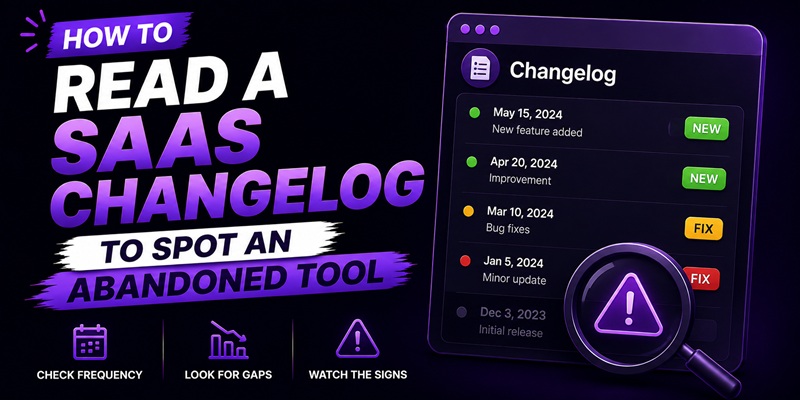
A quiet changelog doesn’t automatically mean a SaaS tool is dead, and a busy one doesn’t automatically mean it’s healthy. The real test is signal quality, not frequency. Ten entries a month that are all dependency bumps and copy tweaks can hide a product that has quietly stopped moving, while a tool that goes silent for a stretch during a genuine rewrite can come out the other side stronger than ever. To tell the difference, read the changelog for what changed and why, then check it against the roadmap, the status page, the docs, and how the vendor talks about the product everywhere else.
Read the changelog for signal, not frequency
Open the changelog and read the last ten entries as if you had to summarize the product’s direction to a friend in one sentence. If you can’t, that’s information. A healthy pattern reads like “added X, fixed the Y bug reported by users, improved Z workflow” with entries that name a specific feature or a specific problem solved. A stalled pattern reads like a string of “dependency updates,” “minor UI tweaks,” “performance improvements” with no named feature attached to any of them for months at a stretch. Both patterns can produce the same number of entries per month. Only one of them reflects a team still building the product forward. Date-stamp every entry you’re reading and note the gap between the two most recent substantive ones, not just the two most recent entries overall.
Check the public roadmap and status page against what actually shipped
A roadmap is a promise. A changelog is a receipt. Pull up both and see how often the roadmap’s “coming soon” items eventually show up in the changelog as shipped, versus sitting in “planned” for a year or more. A roadmap with the same three items stuck at the top across multiple visits, months apart, is a wish list, not a working pipeline. A status page tells a narrower but useful story: frequent incident reports with fast resolution times suggest an operations team actively watching the product, while a status page that hasn’t logged an incident in over a year on a tool with a real user base is often just not being maintained rather than genuinely flawless.
Look at docs last-updated dates and support response time
Documentation pages that carry a visible last-updated or last-reviewed date are one of the most underused signals available. If the docs haven’t moved in over a year while the changelog claims regular releases, something doesn’t add up, either the releases are cosmetic or the docs team has been cut. Support response time tells you a similar story from a different angle. Submit one real, specific question through the tool’s actual support channel before you decide anything, the same pre-sale test worth running when vetting whether a vendor itself is real. A slow or generic reply to a specific question is a stronger signal than any changelog entry, because it reflects the team currently staffed on the product, not just the code being pushed.
Read the vendor’s own blog and social cadence as a secondary signal
A vendor’s blog and social accounts won’t tell you as much as the changelog or a support reply, but they’re a useful cross-check. A company still actively selling and building a product usually keeps talking about it somewhere, a blog post explaining a new feature, a release thread, a reply to a user’s public question. Total silence across every channel for six months or more, combined with a thin changelog, is a stronger combined signal than either alone. Treat this as a tiebreaker, not primary evidence. Some genuinely healthy small teams simply don’t invest in content or social presence, and that alone doesn’t mean the product itself has stalled. Weigh it alongside the changelog and support response, never instead of them.
When a slow product is fine, and when quiet means something is wrong
A tool can legitimately go quiet for a while. A small team mid-rewrite, a founder handling a personal emergency, a product that reached feature-complete for its niche and genuinely doesn’t need monthly releases, none of these mean the tool is abandoned. What separates a healthy pause from real trouble is whether support still answers, whether the product still runs without errors, and whether the silence has a stated reason anywhere you can find one. If support has gone quiet too, if errors are piling up in your own account, or if the pattern matches what shows up right before a lifetime deal tool actually shuts down, stop waiting for reassurance and start protecting yourself: export what you can and reduce how much you depend on the tool going forward. A changelog that’s gone quiet is also often the first place you’ll notice a feature has quietly moved behind a paywall rather than disappeared outright, so read new entries for removals, not just additions.
If you’re holding a handful of tools you’re no longer sure are worth the space they take in your stack, this same read-the-signals approach is the starting point for a broader audit of unused SaaS tools, not just the ones you suspect are dying. And if you’re still deciding whether a lifetime deal is worth buying in the first place, this changelog check is one input into the fuller lifetime deal evaluation framework this site uses for every tool it covers.
FAQ
How many months without an update means a tool is abandoned?
There’s no fixed number that applies to every tool. Three to six months of silence across the changelog, support, and public channels together is a common threshold worth taking seriously, but a single quiet month during an announced rewrite means something different than six months of silence with no explanation anywhere.
Is a busy changelog always a good sign?
No. A changelog can list frequent entries that are entirely dependency bumps, minor copy edits, or routine maintenance with no named feature or fix attached. Read a handful of recent entries closely rather than counting how many there are.
What’s the single fastest check if I only have five minutes?
Send one specific pre-sale or support question through the tool’s actual support channel and see how it’s answered. It reflects who’s currently staffed on the product in a way a changelog date alone can’t.
Does a quiet changelog mean I should ask for a refund?
Not by itself. Check it alongside support responsiveness and whether the product still runs without errors in your own account before deciding anything. A tool can be slow-moving and still fully usable.
How is this different from checking if the vendor company is real?
Vetting the vendor confirms the company behind the deal actually exists and is reachable, which is a separate question covered in how to vet a SaaS vendor before buying. Reading the changelog answers a narrower question: whether the specific product you’re looking at is still being actively worked on, independent of whether the company itself checks out.
