What Happens to Your Data When a Lifetime Deal Tool Closes

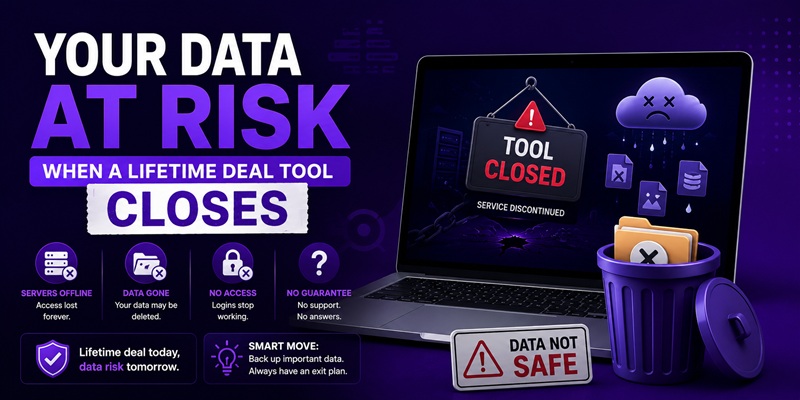
When a lifetime-deal tool shuts down, your data generally follows one of three paths: a limited export window before the servers go dark, immediate loss with no export offered, or a migration path if another company acquires the product. Which path you get depends entirely on how the shutdown happens and how much notice the company gives, not on anything you can control after the fact. That is exactly why the checks worth doing happen before you buy and while the tool is still running, not after a shutdown notice arrives.
This piece explains the mechanic: what tends to happen and why. The companion piece, exporting your data before you lose access, is the action checklist for what to actually do, right now, before any of this becomes a live problem for you.
Why the outcome depends entirely on how the shutdown happens
There is no single, standard shutdown process across SaaS companies, and that is the core of the risk. A well-run wind-down and an abrupt collapse produce completely different outcomes for the exact same category of tool, and from the outside, before it happens, you generally cannot tell which one you’re going to get.
A company with functioning support and enough runway to plan an orderly shutdown will typically announce it, give a fixed window, and encourage exports. A company that runs out of money suddenly may not have the staff, the time, or in some cases the working infrastructure left to do any of that. The gap between those two outcomes is not something a refund policy or a lifetime-deal guarantee can close, because both of those only apply while the company is still operating.
The three shutdown patterns and what each usually means for your data
Planned wind-down with an export window. The company announces the closure in advance, states a specific date, and either provides an export tool or instructions for getting your data out before that date. This is the best-case pattern, and it is the one every reputable shutdown notice tries to follow. Your job in this scenario is simple: act inside the stated window, don’t assume it will be extended.
Abrupt closure with no notice. The product simply stops working, the support inbox goes quiet, and there is no announced window at all. This happens when a company runs out of money faster than it can manage an orderly exit, or when a founder disappears without formally closing things down. In this pattern, whatever data you hadn’t already exported is often unrecoverable, and there is frequently nobody left to ask.
Acquisition and migration. A struggling or shutting-down product gets bought by another company, which may offer a migration path to a similar tool, sometimes with a discount, sometimes not. This is a real third path, distinct from a true shutdown, and it can preserve some or all of your data if you follow the migration instructions. It is also not something you can count on in advance; not every failing product finds a buyer.
You cannot choose which pattern a given company follows. What you can do is act as though the abrupt pattern is always possible, which is the entire logic behind exporting data proactively rather than waiting for a notice.
What a shutdown notice usually does and doesn’t tell you
When a notice does arrive, read it for what it actually states, not what you assume it implies.
- It usually states a hard date. That date is the thing to act on immediately, not a soft suggestion.
- It may or may not mention an export tool or process. Some companies build a one-click export for exactly this moment; others expect you to use whatever export function already existed in the product, which may not cover everything you actually stored there.
- It rarely explains what happens to data you don’t export. Silence on this point should be read as “assume it’s gone,” not “assume it’s kept somewhere safe just in case.”
- It may include a migration offer, which is worth reading carefully rather than ignoring, since it can be the difference between losing your work and moving it somewhere else.
Why “it happened to someone else’s tool” is not a reason to wait
It’s tempting to treat this as a problem for other people’s unlucky purchases. It isn’t. The whole reason data portability sits as one of the three founding questions in the lifetime deal framework is that you cannot tell, at purchase time, which of the three patterns above a given vendor will eventually follow, if it ever comes to that. A tool showing none of the red flags today can still end up in an abrupt closure years later if circumstances change; due diligence lowers the odds, it does not eliminate them.
The practical response isn’t to avoid lifetime deals. It’s to treat “can I get my data out, right now, today” as a standing habit for any tool your work depends on, lifetime deal or subscription, rather than something you check only when a shutdown notice already exists. The specific steps for doing that are in the export checklist.
FAQ
Will I always get an export window when a lifetime deal tool shuts down?
No. Some shutdowns are planned, with a stated date and export instructions. Others are abrupt, with no notice and no export offered before access simply stops. Which one you get depends on the company’s circumstances, not on anything you can control after the fact.
Is there any protection against losing my data if a tool shuts down?
Not from the marketplace or the vendor beyond whatever export process they choose to offer during a wind-down. The only real protection is exporting your own data proactively, on a regular basis, rather than depending on a shutdown notice to give you time.
If a company gets acquired instead of shutting down, is my data safe?
Often, but not automatically. An acquisition can include a migration path that preserves your data, sometimes with a discount to the new product. Read any migration offer carefully and act on its instructions rather than assuming your account will simply carry over.
Does a company’s refund policy help if the tool shuts down years after I bought it?
Generally no. A refund window is a short-term guarantee tied to the purchase date. Some marketplaces offer a separate, narrower shutdown protection covering a limited period after purchase, but neither addresses what happens to your data specifically; that’s a separate question from getting money back.
How do I know if a tool I already own is at risk of an abrupt shutdown?
Watch the same signals covered in the red flags checklist: a stalled changelog, an unreachable founder, and support response times that are getting slower. None of these guarantee a shutdown is coming, but together they’re the closest warning you’re likely to get.
