Lifetime Deal Features Removed: What Grandfathering Means

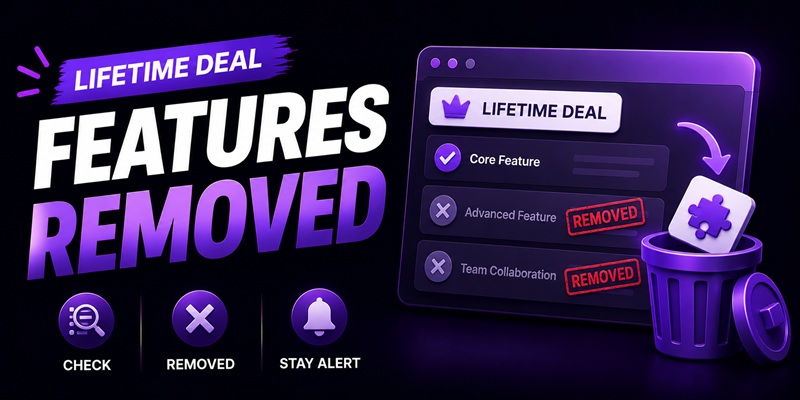
A grandfathered lifetime deal protects the tier you bought at the time you bought it, not the exact feature set frozen forever. Most SaaS terms of service reserve the right to modify, deprecate, or move features between tiers at the vendor’s discretion, and a “lifetime access” clause is usually a promise about continued access to the product, not a promise that every feature stays free forever. When lifetime deal features get removed or quietly shifted behind a new paid add-on, that is often allowed under the contract you agreed to, even though it feels like the deal changed underneath you. Whether you actually have a case turns on what the deal page and terms said the day you bought, not on what feels fair now.
Checked on 2026-08-04. Vendor licensing behavior and grandfathering practices change constantly and differ by vendor, so treat everything below as a description of how these clauses generally work, not a ruling on any specific tool. Confirm the current terms on the deal page and the vendor’s own terms of service before relying on this for a purchase you’re actually making.
What “grandfathered” actually promises (and what it doesn’t)
“Grandfathered” is marketing shorthand, not a legal term with one fixed meaning. In practice it usually means: the plan tier and price you locked in at purchase stays yours, and you won’t be forced onto a new pricing structure just because one launches. What it does not usually mean is that every individual feature inside that tier is frozen in place forever. A vendor can shrink, rename, or relocate a feature within your grandfathered tier while still honoring the grandfathering promise in the strict sense, you kept your tier and your price, the tier’s contents just changed.
This is the same gap covered in more depth in what “lifetime” actually means in a SaaS deal: “lifetime” almost always refers to the license or account, not a permanent snapshot of the product as it existed on the day you bought it. Read grandfathering the same way. It’s a floor under your plan, not a ceiling that stops the product from changing.
The contract language that lets a vendor change your plan
Two clauses do almost all the work here, and they show up in nearly every SaaS terms of service, lifetime deal or not.
- A general right to modify the service. Standard SaaS terms typically state that the vendor may change, update, or discontinue features “at any time, with or without notice, at its sole discretion.” This is boilerplate, not a red flag specific to any one vendor, but it’s the clause that overrides whatever the deal page promised in marketing language.
- “Features subject to change” on the deal page itself. Many lifetime deal listings carry a line to this effect near the fine print, separate from the headline feature bullets. It’s easy to skim past because it sits below the exciting part of the listing.
The distinction that matters: the deal page is marketing copy written to sell you the deal today. The terms of service and license agreement are the actual contract. When the two disagree, the terms of service wins, and it’s usually the terms of service, not the deal page, that reserves the modification right.
How a shrink usually shows up in practice
A feature rarely disappears with an announcement that says “we are removing this.” It shows up in one of three quieter patterns instead.
- Moved behind a new tier. The feature still exists, but now only on a plan above the one you own, often introduced well after your purchase specifically to house new development.
- A limit quietly lowered. Not a feature removed outright, but a cap, a monthly credit allotment, a seat count, a usage ceiling, tightened over time. This is especially common with AI-feature deals, where credit models and fair-use limits are the part most likely to move; see AppSumo AI credits and limits for how that fine print works.
- Deprecated rather than removed. The feature stops receiving updates, quietly breaks against a dependency it relied on, and is never formally announced as gone. This overlaps with, but is distinct from, a genuinely abandoned product; how to read a changelog to tell if a tool is still developed covers the separate question of whether the whole product has stalled, versus one feature inside an actively maintained product shrinking.
What recourse actually exists, and what doesn’t
If the change happened inside your refund window, that’s your cleanest option, and it’s worth reading the specific platform’s refund terms rather than assuming; the mechanics differ from marketplace to marketplace, and AppSumo’s refund policy walks through how that one works in practice. Outside the refund window, your options narrow fast. You generally cannot compel a vendor to restore a feature, and small-purchase contract disputes are not realistic to pursue individually. What does work, imperfectly: a documented, specific complaint through the marketplace’s support channel (marketplaces care about vendor reputation on their own platform), a public, factual review that other buyers will see before they buy, and, if enough buyers are affected, collective pressure in the deal’s comment section tends to get a vendor’s attention faster than a single support ticket. None of this guarantees the feature comes back. It’s leverage, not a right.
How to document your entitlement at the time of purchase
The single best thing you can do happens before anything shrinks, at the moment you buy.
- Save the deal page as it existed at purchase. A full-page screenshot or a saved PDF, dated, is worth more than a memory of what the listing said six months ago.
- Save your specific tier confirmation. The email or account page showing exactly which tier and feature set you were sold, not just a receipt for the dollar amount.
- Check whether the deal page is archived independently, for example on the Wayback Machine, as a second, harder-to-dispute copy of what was promised.
- Note the terms of service version or date, if the vendor’s terms are dated or versioned, at the time you bought. Terms change over time too, and knowing which version you agreed to matters if a dispute ever gets specific.
Do this once, at purchase, for every deal you’re relying on long-term, and file it alongside the other checks in the pre-purchase checklist. It won’t stop a vendor from shrinking a plan. It puts you in the strongest possible position if you ever need to make a case that it happened. The broader judgment call, whether a deal is worth the risk of this happening at all, is covered in the lifetime deal evaluation framework.
FAQ
Is it legal for a vendor to move a feature I already had behind a new paid tier?
Usually yes. Most SaaS terms of service include a general right to modify or discontinue features at the vendor’s discretion, and that clause typically overrides whatever the deal page’s marketing copy implied. It feels like a bait-and-switch, but it’s often within the contract you agreed to.
Does “grandfathered” mean my plan is frozen forever, exactly as it was on the day I bought it?
No. Grandfathering usually protects your tier and price, not every individual feature inside that tier. A vendor can still relocate, shrink, or deprecate a specific feature while technically honoring the grandfathering promise, the same gap covered in the plan’s original licensing terms rather than its marketing copy.
What’s the difference between a feature being removed and a tool being abandoned?
A feature removal or shrink can happen inside an actively maintained, still-updated product, entitlement changing on top of ongoing development. Abandonment is different: the whole product stops shipping updates. How to read a changelog to tell if a tool is abandoned covers that separate question.
Can I get a refund if a vendor removes a feature after my refund window has closed?
Generally no, refund windows are time-limited and most marketplaces don’t reopen them for a later feature change. Check the specific platform’s policy, since the window length and what it covers differ by marketplace.
What should I save at the time of purchase in case a feature disappears later?
A dated screenshot or saved PDF of the deal page as it existed when you bought, your tier confirmation email, and ideally an independent archive of the listing. Do this as a standing habit, not just when something already looks wrong.
