Tier Stacking Explained: When a Second Code Is Worth It

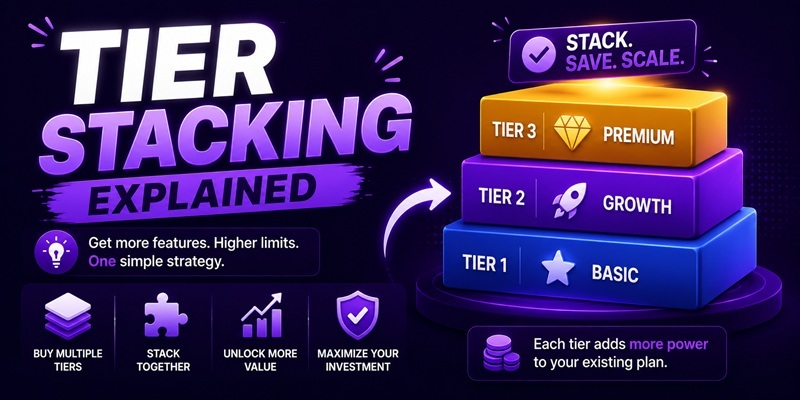
Tier stacking means buying more than one code for the same lifetime deal to unlock a higher tier or higher usage limits than a single code gives you. Not every deal allows it. Where it’s allowed, it’s stated in the Deal Terms section of the listing, usually as a table showing what one, two, or three codes unlock. Where it isn’t mentioned, assume it isn’t available rather than trying it and hoping.
How to tell if a deal is stackable
Check the Deal Terms section on the specific listing, not the general marketing copy. A stackable deal will say so explicitly, often with a table like “1 code = Tier 1, 2 codes = Tier 2, 3 codes = Tier 3.” If nothing on the page mentions stacking, don’t assume it works. Some deals are single-tier only, and buying a second code in that case just gets you a second, separate account or an unusable spare license.
Stacking at purchase vs. stacking later
You have two timing options, and they carry different risk.
Stack at purchase. You buy all the codes you want in one order, redeem them together, and start at the higher tier immediately. This is the lower-risk path if you already know you need the higher limits, because you lock in the deal at today’s price before it can sell out or the terms change.
Try one code first, stack later. You buy a single code, use the tool for real work inside your refund window, and only buy additional codes once you’ve confirmed the tool is worth the extra tier. This is the more cautious path, and it fits the same logic as the rest of this site’s testing approach: don’t commit more money to a tool until you’ve used the first code on real work. The tradeoff is that lifetime deals are often time-limited, so waiting to stack carries the risk that the deal sells out or ends before you decide.
If you’re not sure which limits you’ll actually need, buying one code first and stacking within your refund window is almost always the safer sequence. You lose nothing by waiting, provided the deal is still live when you decide.
The checkout limit that trips people up
AppSumo caps the number of codes you can buy in a single order, for fraud-prevention reasons. If you’re trying to stack a large number of codes for one product, you may hit that per-order limit before you reach the quantity you want. The workaround is straightforward but easy to miss: buy up to the limit in one transaction, then place a second, separate order for any additional codes you need. This isn’t a bug or a way around a restriction; it’s the documented process for large stacks. If a stack you’re planning is unusually large, check the current per-order limit before you start, since running into it mid-purchase can be confusing if you don’t expect it.
When a second or third code is actually worth it
Stacking is a straightforward yes when all three of these are true:
- You have a concrete, current need for the higher tier’s limits: more seats, more projects, more usage, not a hypothetical future need.
- You’ve already confirmed the base tier works for your actual use case, ideally by testing the first code before buying more.
- The math still clears once you compare the stacked price against what the equivalent subscription tier would cost you monthly (see the next section).
It’s a clear no, or at least a pause, in the opposite cases: stacking “in case you scale later,” stacking before you’ve tested the base tier at all, or stacking to reach a tier whose extra features you can’t currently name a use for. Buying capacity you don’t have a use for yet is not a hedge, it’s an unused sunk cost with the same vendor-survival risk as the rest of the purchase, just a bigger dollar amount riding on it.
Running stacked pricing through the break-even math
Stacking changes which number belongs on each side of the break-even formula. The math itself doesn’t change (lifetime price ÷ monthly equivalent = months to break even), but a stacked purchase must be compared against the monthly price of the tier it unlocks, not the base tier’s price.
| Base tier only | Stacked to Tier 2 | |
|---|---|---|
| One-time cost | 1 code | 2 codes |
| Compare against | Monthly price of Tier 1 subscription | Monthly price of Tier 2 subscription |
| Common mistake | n/a | Comparing 2-code cost against Tier 1’s monthly price, which makes the deal look worse than it is |
The full walkthrough of the break-even formula, including a worked example, is in the break-even math piece. Run your stacked total through that formula against the correct comparison tier before you decide.
Whatever tier you land on, each code you buy carries its own refund window under AppSumo’s policy, which means a stacked purchase can, in principle, be partially refunded if you decide the higher tier wasn’t worth it while the lower tier was. The mechanics of how that works are covered in the AppSumo refund policy walkthrough.
A quick before-you-stack checklist
Run through this before you add a second or third code to your cart, not after:
- Check the Deal Terms table for the exact stacking rule. Confirm how many codes unlock which tier, since the jump from one code to two doesn’t always match the jump from two to three.
- Confirm you’ve named a specific use for the higher tier, not a general sense that “more is better.” If you can’t name the feature or limit you need, you likely don’t need the stack yet.
- Check the per-order code limit if you’re planning a large stack, so you’re not caught off guard mid-checkout.
- Decide whether you’re stacking now or testing first. Neither is wrong, but pick deliberately rather than defaulting to whichever feels easiest at checkout.
- Re-run the break-even math against the correct tier before you confirm the purchase, using the table above as your guide.
None of this changes the underlying bet you’re making. Stacking doesn’t reduce the vendor-survival risk covered in the red flags checklist; it just changes how much of that risk you’re carrying, since a bigger stack means a bigger amount riding on the same company staying in business.
FAQ
Does every AppSumo deal support stacking?
No. Stacking is deal-specific and is stated in the Deal Terms section when it’s available. If a listing doesn’t mention it, don’t assume you can stack codes for that product.
Can I stack codes after my initial purchase?
Often yes, as long as the deal is still active and hasn’t sold out. Buying one code first and stacking later, within your refund window, lets you confirm the tool is worth the extra tier before spending more.
Is there a limit on how many codes I can buy at once?
AppSumo caps the number of codes per order for fraud-prevention reasons. If you need more than that limit, you typically place a second, separate order for the remainder.
Should I stack codes just in case I need the higher tier later?
Generally no. Stacking is worth it when you have a current, concrete need for the higher limits, not a hypothetical future one. Unused capacity carries the same vendor-survival risk as the rest of the purchase, on a larger amount of money.
How do I compare stacked pricing against a subscription fairly?
Compare the total stacked cost against the monthly price of the tier the stack unlocks, not the base tier. Comparing against the wrong tier’s monthly price will make the deal look better or worse than it actually is.
