How to Vet a SaaS Vendor Before Buying a Lifetime Deal

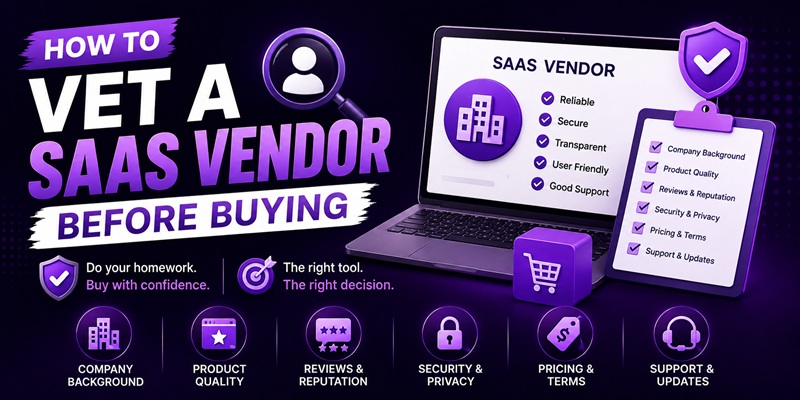
As an individual buyer, you can verify four things about a SaaS vendor in about fifteen minutes: that the company is a real, operating business, that a real person is reachable behind it, that the product has a track record independent of the deal page, and that the deal terms match what’s actually documented elsewhere. You cannot audit their financials or their churn rate, and you don’t need to. This is a scoped-down verification pass built for someone spending a few hundred dollars, not for someone acquiring a company.
This is a different piece from the lifetime deal red flags checklist already on this site. That page lists warning signs you might notice while evaluating a deal. This one is the active steps you take to verify a vendor before you’ve spotted anything wrong, the homework you do up front rather than the alarms you watch for along the way.
What a solo buyer can actually verify, and what to skip
Enterprise SaaS due-diligence guides talk about MRR, churn rate, LTV-to-CAC ratios, and reviewing signed contracts. None of that applies here. You’re not acquiring a company; you’re buying a license, usually for under a few hundred dollars, and none of that financial data is available to you anyway. Trying to replicate enterprise due diligence on a lifetime deal is wasted effort. What you can actually check is scoped to public information: does this company exist, is someone there, does the product have a history, and does the deal match its own documentation.
Step 1: Verify the company is a real, operating business
Look for the same signals you’d want before trusting any small business with your money.
- A real company name and location, not just a product brand. Many lifetime-deal products are built by small teams or solo founders operating under a product name; look for the legal entity behind it, often in the terms of service or privacy policy footer.
- A history that predates the deal. Search the product name plus terms like “review” or the current year, and see whether it existed, with real users, before this specific lifetime deal appeared. A product that launched the same week as its lifetime deal is a different, higher-risk category, covered in more depth in the red flags checklist.
- A working, non-generic support channel. A dedicated support email or ticketing system tied to the product is a better sign than a marketplace-only contact form with no other way to reach anyone.
Step 2: Verify a real person is reachable behind the product
A company with no visible human is a company with nobody to escalate to if something breaks after you’ve paid.
- Look for a named founder or team, on the deal page, the product’s own site, or the marketplace listing. A tool sold with no attributable person behind it removes your only lever if support goes quiet later.
- Check the deal’s comment or Q&A section for founder replies. A founder actively answering pre-sale questions, including hard ones, is a strong positive signal. Silence on direct questions, especially ones other buyers have already asked, is worth noting.
- Send one real, specific pre-sale question yourself if you’re on the fence. The response speed and quality you get before you’ve paid is close to the best support experience you’ll ever get from that vendor; it rarely improves after the sale.
Step 3: Check the product’s track record independent of the deal page
The deal page is marketing copy written to sell you the deal. Everything on it should be treated as a starting point, not a verified fact, until you’ve checked it somewhere else.
- Read the changelog or release notes, not the roadmap. A changelog with recent, dated, shipped updates tells you the product is actively maintained. A roadmap full of “coming soon” items with no shipped history behind them is a wish list, not evidence.
- Read reviews on an independent source, not just the marketplace’s own review section, which can be curated or incentivized. Look specifically for reviews that mention a specific problem, not just a star rating.
- Check whether the product is discussed anywhere outside its own marketing, forums, independent blogs, social mentions. A product with zero independent footprint outside its own deal page and marketplace listing is harder to verify by definition, which is itself useful information even if it isn’t proof of anything wrong.
Step 4: Confirm the deal terms match what’s documented elsewhere
- Cross-check the marketplace’s general policies against the specific deal’s terms. If the marketplace states a standard refund window, confirm the specific deal doesn’t quietly shorten it, and if you’re buying outside a marketplace like AppSumo, read that vendor’s own terms directly rather than assuming marketplace-standard terms apply. The AppSumo alternatives comparison covers how refund terms can differ by platform.
- Confirm “lifetime” is defined the way you expect. Some vendors quietly cap what they call a lifetime plan at a fixed term in their own Deal Terms or Terms of Service. Read that section directly rather than relying on the headline word.
What you cannot verify as an individual buyer, and why that’s OK
You cannot see a company’s bank balance, its actual runway, or its internal churn numbers, and no amount of searching will change that. This is worth saying plainly so you don’t spend an hour hunting for information that simply isn’t public. The four steps above are proxies for financial health that you can actually check: a real operating history, a reachable human, an actively maintained product, and terms that hold up under a direct read. None of them guarantee survival. Together, they shift the odds toward buying from a vendor who is, at minimum, not obviously hiding.
If a vendor clears all four steps here and also passes the red flags checklist, you’ve done essentially everything a solo buyer reasonably can before handing over the payment. What’s left after that is the same bet every lifetime deal ultimately is, covered in full in the lifetime deal framework.
FAQ
How is vetting a vendor different from checking for red flags?
Vetting is the active work you do up front, confirming the company exists, a person is reachable, and the product has an independent track record, regardless of whether anything looks wrong yet. Red flags are specific warning signs you watch for once you’re evaluating a deal. Do both; they cover different ground.
Can I check a lifetime-deal vendor’s financials before buying?
No, not in any meaningful way. Financial statements aren’t public for the vast majority of these companies, and trying to verify them is not a realistic use of your time for a purchase this size. Focus on what is actually checkable: identity, reachability, track record, and documented terms.
What’s the single fastest check that tells you the most?
Reading the changelog or release notes for recent, dated, shipped updates. An actively maintained product with a visible update history is one of the strongest available signals, and it takes under a minute to check.
Is a solo-founder product automatically riskier than one from a bigger team?
Not automatically. A solo founder who is reachable, ships updates, and has a track record can be just as reliable as a larger team, and sometimes more responsive. The absence of a visible, reachable person behind a product is the actual risk signal, not team size on its own.
Should I ask the founder a question before buying even if I’m fairly sure I want the deal?
It’s a reasonable extra step, especially for a purchase you intend to rely on. The speed and quality of a pre-sale response is a real signal about what support will look like later, and it costs you nothing but a few minutes to send.
